![[personal profile]](https://www.dreamwidth.org/img/silk/identity/user.png)


To see in red, to lose control.
May. 25th, 2025 07:43 pmAdded Burning Houses & Hush Harbor by Mookie Katigbak-Lacuesta to my reading rotation because I realized I could acquire it through Shopee. \o/ I've only gone through a few of the poems, which made me starkly feel that I was not smart or literary enough, but Temper/7 Down has sat in my brain for days and days and maybe that's enough. It's part of a section that's formatted as a series of crossword puzzle hints, so I guess it makes sense for me to still be trying to follow the emotional threads.
Here's the full poem, which I worked hard to format with html.
I made a Justice in the Dark gifset based on the last three lines:


Also on tumblr
Creation notes:
I used a ripped paper texture for the big paper background, but for the paper strips—I was playing around and found that Resolve has a Paper Edges effect omggggggg
For the fonts—I was looking for a suitably distressed font and suddenly remembered Eduardo Recife's Misprinted Type. I wondered if his website was still up and it is! :D I've never really been able to incorporate his fonts/textures into my fanwork, but for this I used his Misproject font.
Here's the full poem, which I worked hard to format with html.
Mookie Katigbak-Lacuesta, "Temper/7 Down"
| Hellions in your novels balled fists Inside trouser pockets. You never let A belt lick welts on a child's thigh. | ||
Barroom rakes, at the slightest libel Dream of triggers and knives. You never put a wife in place | ||
| With a shake or a sharp word. Stones were paperweights for Memos. Knives were cameos | ||
| Mounted on walls or tucked In a safe. And pity the man You would not hate, him you'd | ||
| Consecrate with your indifference. Best was how you taught a child To spit her rage like a catcher | ||
| To his mitt, and hurl with all Her bile and length, Neither glass nor stone, | ||
| Only the brittle shells Of eggs her throw Broke against the wall. | ||
| Temper: to see in red, To lose control. But also This: to curb, to hold. |
I made a Justice in the Dark gifset based on the last three lines:
+5 more gifs
Creation notes:
Crying because I don't know the characters for "pua tiong chiu" (mid-autumn dice game). ദ്ദി ༎ຶ‿༎ຶ ) The internet is giving me 跋, 博, and 拔 . Anyway we are apparently doing this again this year! And ONCE AGAIN at short notice!!! Thankfully we just dug up our mahjong set last year, so this time we have 6 dice and will not be scrambling to borrow any on the day itself. o7
Last time we played was in 2021... I'd made us a visual guide of the dice combos, but unfortunately due to my computer issues (yep, it's a long-term problem), I lost all the files I created in that specific month
Thankfully I managed to find my dice game JPGs in my e-mail and a photo of the document on Twitter, but I'm pretty sure the graphic needs adjustments/corrections which is why I need the original working files. :/
For the sake of posterity (a.k.a. future!me and all my computer issues), I'm posting the ~printable files~ here. Will try to edit this post with correction/adjustment notes when we've finished the game (though likely I will forget....... for another 3 years).
( Dice game rules (graphic) )
Last time we played was in 2021... I'd made us a visual guide of the dice combos, but unfortunately due to my computer issues (yep, it's a long-term problem), I lost all the files I created in that specific month
Thankfully I managed to find my dice game JPGs in my e-mail and a photo of the document on Twitter, but I'm pretty sure the graphic needs adjustments/corrections which is why I need the original working files. :/
For the sake of posterity (a.k.a. future!me and all my computer issues), I'm posting the ~printable files~ here. Will try to edit this post with correction/adjustment notes when we've finished the game (though likely I will forget....... for another 3 years).
( Dice game rules (graphic) )
*shoves failed Rubik's cube illustration to a corner* Affinity practice—Designer for the vector shapes and Photo for everything else, though technically I think I could have done everything on Photo:

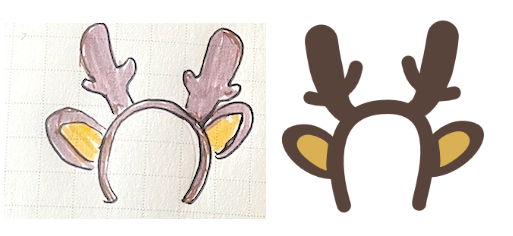
I guess I'm warming up a little to Affinity... Photo feels closer to AI and ID than PS, which means it does have a lot of features if you adjust your expectations of its controls, but also that it's not exactly a PS substitute. I'm really struggling with placing images/objects (typically I only use Place when I'm using InDesign; most of the time I drag objects around from canvas to canvas because that's how my brain works) + gradients... I kind of get it conceptually, but for some reason I get a prompt asking for screenrecording permissions which I deny on instinct lol.
Paintbrush works pretty smoothly if you set the hardness to 99% (instead of 100%)~ There's a built-in line stabilizer that you can toggle on and off.
Type tools work well. Same shortcuts as PS + has opentype features, but doesn't take into account other languages yet, I think? No vertical text orientation button that I can see.
In this latest episode of "tools I can't figure out", I don't know yet if Affinity has a blend tool or more customizable stroke brushes, which is what I'd want to try for the fishbones? (They'd still be tricky to control, but at least I don't have to manually align anything haha.)
Inexplicably, Affinity also has a cat tool:

Which can only generate one kind of cat shape:

All of this may be an exercise in futility considering the Canva acquisition, but idk, I presume we'll be able to keep the non-subscription version... So far Photo is less laggy than my half-broken Photoshop ahaha.
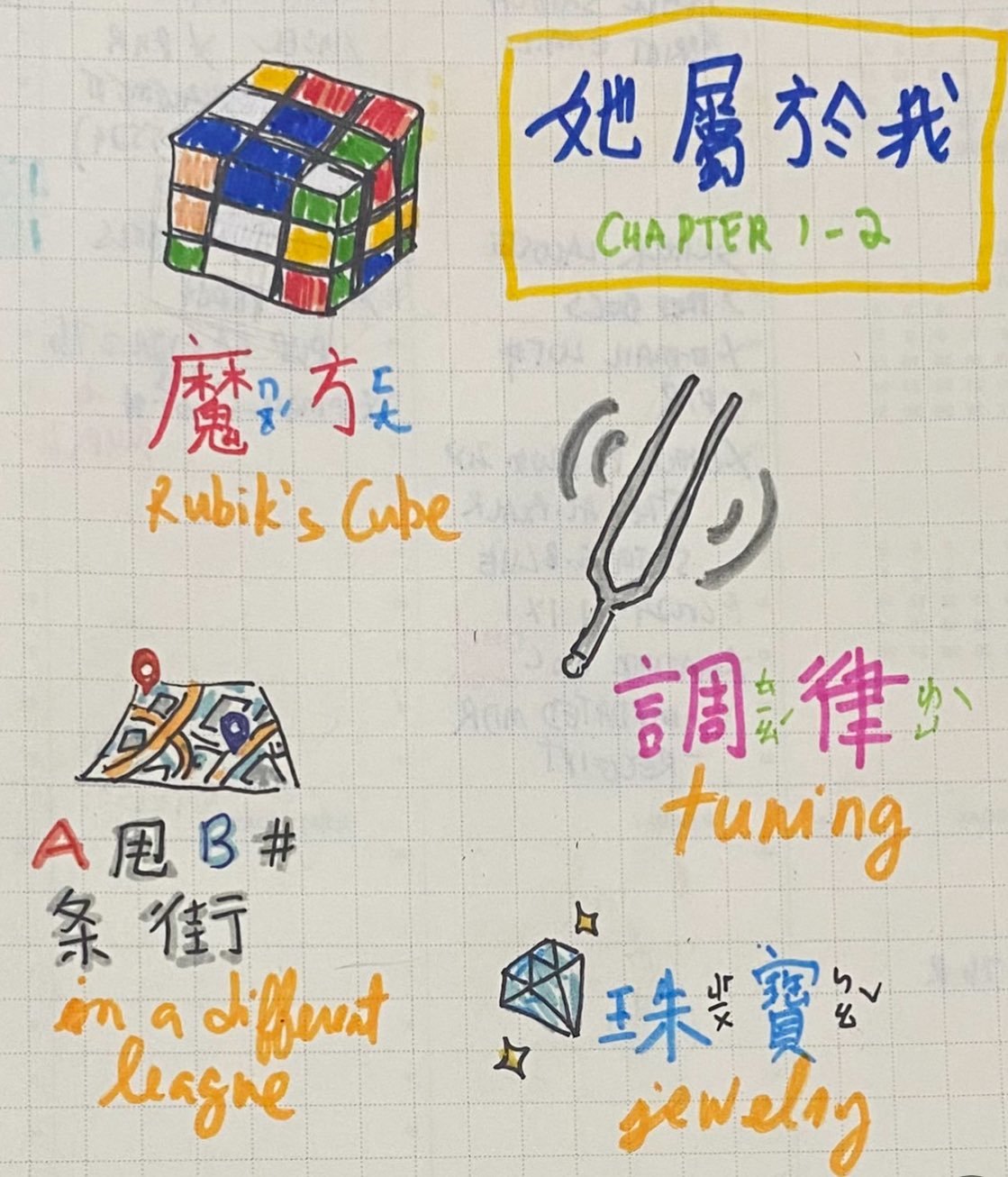
Based on the following journal doodles:
I guess I'm warming up a little to Affinity... Photo feels closer to AI and ID than PS, which means it does have a lot of features if you adjust your expectations of its controls, but also that it's not exactly a PS substitute. I'm really struggling with placing images/objects (typically I only use Place when I'm using InDesign; most of the time I drag objects around from canvas to canvas because that's how my brain works) + gradients... I kind of get it conceptually, but for some reason I get a prompt asking for screenrecording permissions which I deny on instinct lol.
Paintbrush works pretty smoothly if you set the hardness to 99% (instead of 100%)~ There's a built-in line stabilizer that you can toggle on and off.
Type tools work well. Same shortcuts as PS + has opentype features, but doesn't take into account other languages yet, I think? No vertical text orientation button that I can see.
In this latest episode of "tools I can't figure out", I don't know yet if Affinity has a blend tool or more customizable stroke brushes, which is what I'd want to try for the fishbones? (They'd still be tricky to control, but at least I don't have to manually align anything haha.)
Inexplicably, Affinity also has a cat tool:
Which can only generate one kind of cat shape:
All of this may be an exercise in futility considering the Canva acquisition, but idk, I presume we'll be able to keep the non-subscription version... So far Photo is less laggy than my half-broken Photoshop ahaha.
I was informed by a friend that Affinity is currently having a flash sale (50% off) in light of all the Adobe stuff. The full suite includes the Affinity equivalents of Photoshop (Affinity Photo), Illustrator (Affinity Designer), and InDesign (Affinity Publisher) for Windows, Mac, and iPad. As far as I know my Illustrator is still working, but my Photoshop is barely functional. I installed both anyway because they're my ~essentials~, though I've only tried running Affinity Photo.
The free trial period is 7 days, and they seem to have Black Friday sales (30%-40% off, I was told)—I was hoping to save up until then but, well, here we are.
I won't really be able to assess the features until I have a project to work on—usually it's just Youtube thumbnails for my personal fansub/fanvid channel, but as I'm on indefinite hiatus, here are my first impressions from five minutes of clicking around Affinity Photo:
The interface is generally very similar to Photoshop with a lot of the equivalents—blending mode, effects gallery, pen tool, etc.
The bucket fill shortcuts are still the same (Ctrl+D | Cmd+D / Alt+D | Opt+D)!!! But a blank canvas in Affinity doesn't appear to have any layers at all (PS always starts you with a background layer by default) so you have to make a new layer first... The amount of panic I experienced over not being able to change the background color immediately made me realize that the first thing I do when I start a new canvas is to fill it so it's not white hahaha.
Basic filters like blur, distort, sharpen, and noise are included! Vignette, halftone, and emboss are also accessible under the "colours" menu. The Photoshop filter gallery (artistic, brush strokes, sketch, stylize, and texture) is not on Affinity—I haven't used them in recent years (bc all I do is make thumbnails) but I do miss the mezzotint filter as it was a huge part of my youth. :')
Affinity has a "Stocks" panel that integrates Pixabay and Pexels. I used to manually download or copy images from those sites to add to my Photoshop canvas, but the Stocks panel allows you to search for stock images within Affinity, which is exciting for me.
I can't seem to drag layers/objects from canvas to canvas??? Am I just dumb??? (A crucial part of my process is using multiple canvases for the same project pls)
This probably won't affect me in any way, but I can't find the image mode menu.
As expected, no Timeline/Animation features, which is what I use to GIF. ^^;
Clipping masks: To create a clipping mask, you have to drag the object to the mask layer name... Typing it here so I remember it lol. (In PS, you hold ALT/opt and click between the layers.)
The free trial period is 7 days, and they seem to have Black Friday sales (30%-40% off, I was told)—I was hoping to save up until then but, well, here we are.
I won't really be able to assess the features until I have a project to work on—usually it's just Youtube thumbnails for my personal fansub/fanvid channel, but as I'm on indefinite hiatus, here are my first impressions from five minutes of clicking around Affinity Photo:
(+)
(-)
(IDK how to feel about)
exercises in frustration
Mar. 2nd, 2022 05:06 pmIt's weird to think that I used to be glued to Adobe software to the point that I felt fused to them, and now I can go half a year without creating something new--in this case, it's not really by choice, because ongoing tech issues... But I do spend every successive year trying to chase the drive and hyperfocus of my younger self, which I guess is my version of romanticizing my youth! A lot of the stuff I used to make were really ugly LOL but at least I was adventurous and knew how to do a lot of things. These days I feel like I'm restarting from zero.
Dreamwidth was originally planned to be a casual low-pressure art/fanworks blog but guess what sometimes life gets away from you and suddenly you're a Zhang Xincheng bot. I really wanted to get my life together and hustle but here I am, wrestling with technology and losing gracefully by making my favorite celebrity a means for content creation.
Anyway here's some stuff I did this week (...in a span of 4 days), either because I was testing my problematic computer or because I'm trying to learn to do stuff without a computer (ie. video editing on my tablet and my newly acquired pink wireless keyboard that I bought off a friend). Desktop computer is still my battleground of choice though, as unwieldy as it is. I'm just not hip enough to learn mobile/tablet technology. :(

a Nobuta wo Produce (now on Netflix!) throwback ♥
( +3 process photos, from an unrelated journal sketch to Photoshop )
Subbed: 仟 Qian, a Zhang Xincheng original song (you can download an mp3 rip here)
Subbed: Zhang Xincheng's performance of an original song that then transitions to Jay Chou's Chrysanthemum Bed: This is a much older video, during his My Huckleberry Friends days. Vocals start out a bit flat, and his piano chord choices in the last bit sound debatable to me... but Chrysanthemum Bed is my favorite Jay Chou (+ Vincent Fang) song ever, so just hearing my favorite actor sing it makes me happy. XD He certainly deserves bonus points for basically remixing the song and having the original verse tie into the feeling of the chorus. And it really is a joy to know that he's improved so much vocally since this video, which was a solid performance featuring piano-playing and catchy composition. ♥
Subbed: Zhang Xincheng's douyin where he has to uphold his reputation of being a Jay Chou fan.
I kind of feel like I've been transitioning to video-based fanworks since last year, and maybe I should do a post for... apps (desktop and iOS)... because I've tried quite a few, with needs that are both too specific and casual haha. I've been really impressed with how technology has advanced enough that I can do basic editing + subbing on my phone (even though it makes my phone get hot), and I'm fascinated with the features in mobile apps. A lot of them annoy me because they're more cosmetic effects than function, especially when it comes to captioning/typesetting features... I can see why, and I even think it's cool that they exist, it's just surprising to me that subtitle tracks aren't a thing in iMovie (iOS) and Adobe Premiere Rush (iOS)... though I suppose I haven't used either of those even in desktop form, so I'm not sure if you could have done that on desktop. I did all the editing and captioning in last year's fanvids in Da Vinci Resolve... which sadly does not have a mobile version. Its features were pretty ideal to me. :(
Dreamwidth was originally planned to be a casual low-pressure art/fanworks blog but guess what sometimes life gets away from you and suddenly you're a Zhang Xincheng bot. I really wanted to get my life together and hustle but here I am, wrestling with technology and losing gracefully by making my favorite celebrity a means for content creation.
Anyway here's some stuff I did this week (...in a span of 4 days), either because I was testing my problematic computer or because I'm trying to learn to do stuff without a computer (ie. video editing on my tablet and my newly acquired pink wireless keyboard that I bought off a friend). Desktop computer is still my battleground of choice though, as unwieldy as it is. I'm just not hip enough to learn mobile/tablet technology. :(
a Nobuta wo Produce (now on Netflix!) throwback ♥
( +3 process photos, from an unrelated journal sketch to Photoshop )
Zhang Xincheng things (all done on mobile/tablet!)
I kind of feel like I've been transitioning to video-based fanworks since last year, and maybe I should do a post for... apps (desktop and iOS)... because I've tried quite a few, with needs that are both too specific and casual haha. I've been really impressed with how technology has advanced enough that I can do basic editing + subbing on my phone (even though it makes my phone get hot), and I'm fascinated with the features in mobile apps. A lot of them annoy me because they're more cosmetic effects than function, especially when it comes to captioning/typesetting features... I can see why, and I even think it's cool that they exist, it's just surprising to me that subtitle tracks aren't a thing in iMovie (iOS) and Adobe Premiere Rush (iOS)... though I suppose I haven't used either of those even in desktop form, so I'm not sure if you could have done that on desktop. I did all the editing and captioning in last year's fanvids in Da Vinci Resolve... which sadly does not have a mobile version. Its features were pretty ideal to me. :(
discworld updates
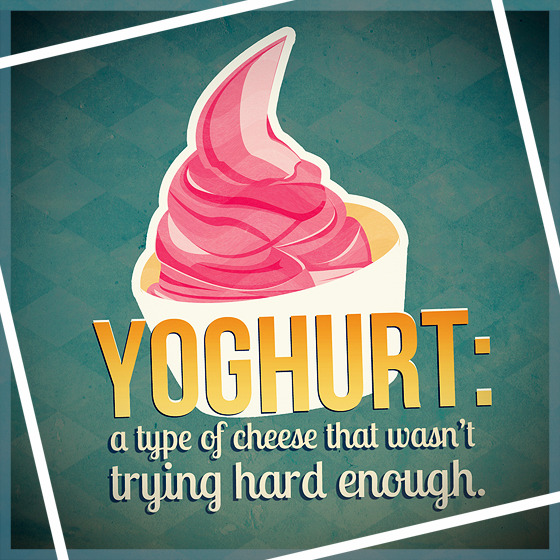
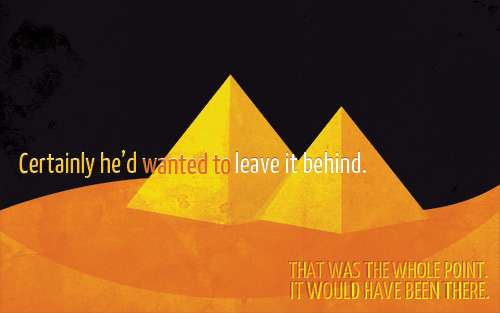
Mar. 18th, 2021 09:39 pmUpdated some old work! Basically just changed the fonts lol.


I really miss reading books and making art. :( I've been staying up pinballing madly between regular part-time work and personal/fanwork this year, unable to get into the mindset of consuming media or fanwork. The reason for this is that I'm completely incapable of having personal projects in my free time; I'm only productive when I'm stressed. XD But I'm quitting that job because it's been making me very unhappy—my (already low) pay was cut by nearly 50% last year because of the pandemic, and in the past few months my workload has been becoming more demanding. Now I'm just sad that nearly 10 years of working with the same company ultimately means nothing, and I'm extremely anxious at the prospect of not having to work nights. What am I supposed to do, relax?????
Oh well. There are many things I want to do, but none of them are profitable or beneficial to me. I've been spending my breaks and downtimes making lists and lists, but I feel that I should let myself chill a bit and sleep properly for a month once I've officially ended my work at that company lol (as long as my brain allows it). Maybe sign up for Skillshare or something idk.
In more cheerful news I just paid for a notetaking + PDF editing app (Goodnotes 5) and I like it! I don't draw/handwrite notes on my phone/tablet all that much, but the app allows me to insert images which is great. It also works on my phone and syncs with iCloud. Not sure how long I'll keep using it, but at least it's not a subscription haha.
The book I'm supposed to be reading this month is Isabel Yap's Never Have I Ever, which is a collection of Filipino horror stories, but I haven't started it. ^^;
I really miss reading books and making art. :( I've been staying up pinballing madly between regular part-time work and personal/fanwork this year, unable to get into the mindset of consuming media or fanwork. The reason for this is that I'm completely incapable of having personal projects in my free time; I'm only productive when I'm stressed. XD But I'm quitting that job because it's been making me very unhappy—my (already low) pay was cut by nearly 50% last year because of the pandemic, and in the past few months my workload has been becoming more demanding. Now I'm just sad that nearly 10 years of working with the same company ultimately means nothing, and I'm extremely anxious at the prospect of not having to work nights. What am I supposed to do, relax?????
Oh well. There are many things I want to do, but none of them are profitable or beneficial to me. I've been spending my breaks and downtimes making lists and lists, but I feel that I should let myself chill a bit and sleep properly for a month once I've officially ended my work at that company lol (as long as my brain allows it). Maybe sign up for Skillshare or something idk.
In more cheerful news I just paid for a notetaking + PDF editing app (Goodnotes 5) and I like it! I don't draw/handwrite notes on my phone/tablet all that much, but the app allows me to insert images which is great. It also works on my phone and syncs with iCloud. Not sure how long I'll keep using it, but at least it's not a subscription haha.
The book I'm supposed to be reading this month is Isabel Yap's Never Have I Ever, which is a collection of Filipino horror stories, but I haven't started it. ^^;
[process] nirvana in fire x persona 5
Feb. 16th, 2021 01:04 pm
For
![[community profile]](https://www.dreamwidth.org/img/silk/identity/community.png) nirvanainfirefest Challenge #3: DVD Commentary, I'm gonna try to walk through the process of creating the multimedia NiF x Persona 5 fusion that I created for
nirvanainfirefest Challenge #3: DVD Commentary, I'm gonna try to walk through the process of creating the multimedia NiF x Persona 5 fusion that I created for For the prompt: ensemble cast | persona 5 au, feel free to follow the plot of p5 or to use the setting/lore as inspiration! notes: bonus points for character study-esque writing and using the mcs/linshu naming conventions cleverly; happy ending please
At the time I was creating it, I was also doing a lot of tedious work at night, and I was working on NiF Exchange in bits and pieces to give myself a break. I mostly remember the backaches and basically had to avoid being on the computer on my downtime for like 2 years. :)) I have an office chair now, though, and life has been better (and more productive) because of it. Can't believe I waited til 2021 to get one. /o\
tl;dr - summary of the process:
WARNING: Mega-long and image-heavy post ahead!
( Read more... )
[log] 21.01.25
Jan. 25th, 2021 10:08 pmLast week I got a planner and a chair, both great purchases since I've been able to just sit down and work on personal projects and ignore the rest of the world, something I haven't really been able to do in years because of back soreness.
Next month I'm planning to get a movable desk, for writing.
My journal/planner is an expensive one that I've never tried before, a Hobonichi Techo and I love it??? It's like a powered-up Field Notes?? I know I love it because I've actually been using it for more than just bullet-journaling and note-taking. The pages are very light and thin but hold ink surprisingly well--I've been using my Unipin for doodling and it feels great. The paper also maintains its structural integrity and doesn't tear or crumple even though I'm very rough with the pages. The notebook lays completely flat when I open it. I've also been able to prop it up on a vertical surface without a bookstand, which was really handy when I was digitizing a concept doodle. Definitely repurchasing next year! (But next time I'm getting a dated one. ^^;)
As I grow older, I've been making it a point to minimize the time I spend on the computer by taking some of the work offline. I'm not the type of person who draws or sketches things (I have no conceptual skills whatsoever AND I'm limited by having a lack of technical skills. I tend to come up with things on the spot based on what I am able to do), but I'm trying to be better at developing ideas by sketching or writing or creating quick studies/layouts, and learning to break down objects into shapes and lines.

Next month I'm planning to get a movable desk, for writing.
My journal/planner is an expensive one that I've never tried before, a Hobonichi Techo and I love it??? It's like a powered-up Field Notes?? I know I love it because I've actually been using it for more than just bullet-journaling and note-taking. The pages are very light and thin but hold ink surprisingly well--I've been using my Unipin for doodling and it feels great. The paper also maintains its structural integrity and doesn't tear or crumple even though I'm very rough with the pages. The notebook lays completely flat when I open it. I've also been able to prop it up on a vertical surface without a bookstand, which was really handy when I was digitizing a concept doodle. Definitely repurchasing next year! (But next time I'm getting a dated one. ^^;)
As I grow older, I've been making it a point to minimize the time I spend on the computer by taking some of the work offline. I'm not the type of person who draws or sketches things (I have no conceptual skills whatsoever AND I'm limited by having a lack of technical skills. I tend to come up with things on the spot based on what I am able to do), but I'm trying to be better at developing ideas by sketching or writing or creating quick studies/layouts, and learning to break down objects into shapes and lines.

